
Contents9 sections ↓
Oracle published the November monthly release for NetSuite 2026.2 in the Help Center. For teams running AI against NetSuite it changes three things: who can connect, what gets logged, and where analytics live. It also brings a new SuiteScript module for developers. This is what changed, read from Oracle's own release notes and help topics, and what to do about each item.
Direct answer: the November 2026 monthly release for NetSuite 2026.2 adds a new SuiteScript 2.1 module, N/dataStore, for storing JSON documents without custom records; shows which AI client made each change in the System Notes "AI Used" column; lets administrators enable the AI Connector Service (MCP) for the Employee Center role, with SuitePeople goals and time-off requests reachable from AI clients; brings NetSuite Data Intelligence (formerly NSAW) dashboards inside NetSuite and lets you transfer SuiteAnalytics datasets to it; adds two Gemini models to N/llm; adds 15 core skills to Ask Oracle; and ships a Windows ODBC driver with security fixes. Oracle says the release describes NetSuite Next functionality, which is rolling out in phases, so some items may not be in your account yet.
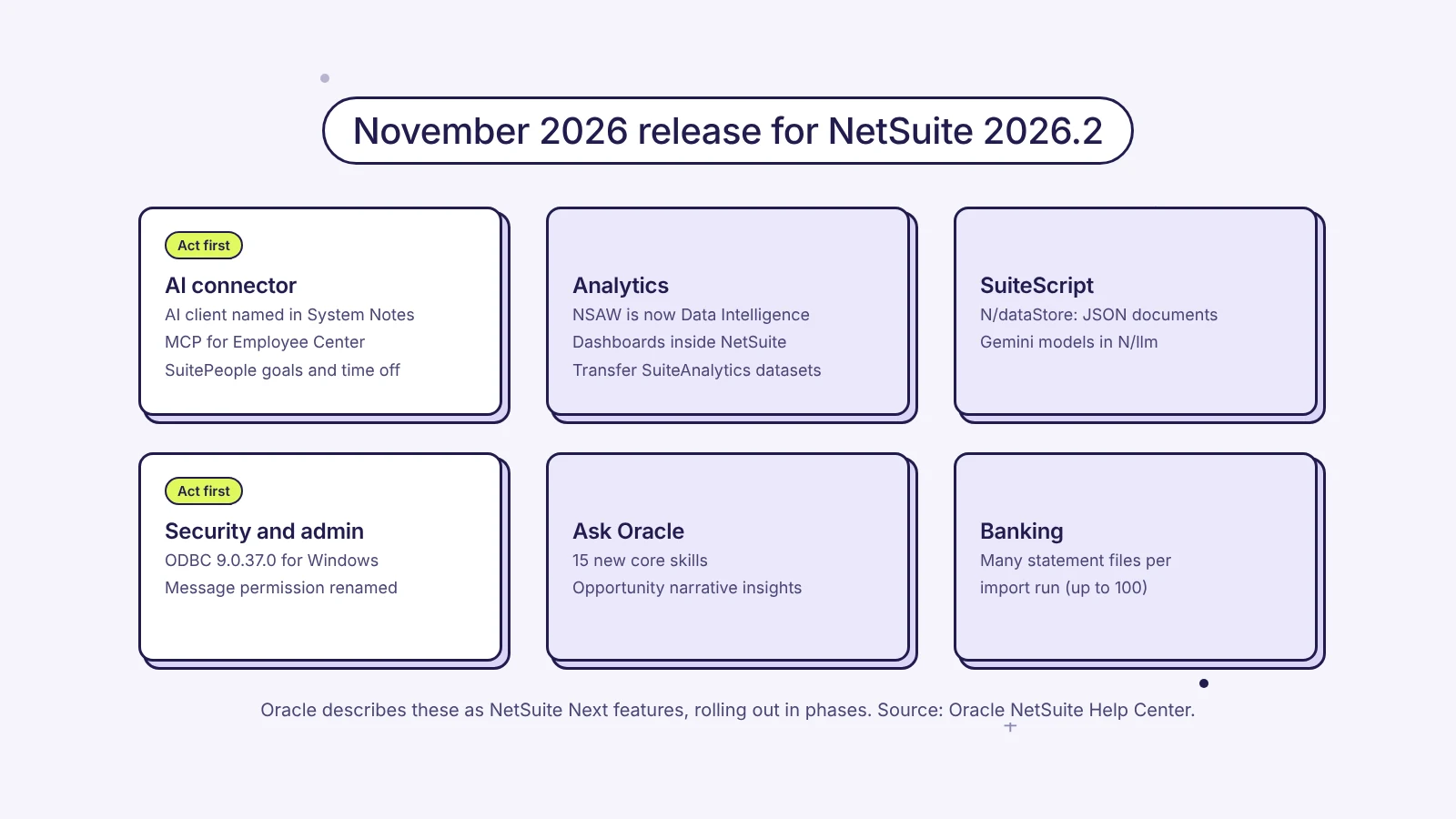
What to act on first
| Change | Who it affects | What to do |
|---|---|---|
| ODBC driver 9.0.37.0 for Windows, with security fixes | Anyone using SuiteAnalytics Connect from Windows (Excel, Power BI, BI tools) | Upgrade the driver; Oracle "strongly recommends" it |
| "AI Used" column in System Notes now names the AI client | Administrators and auditors | Add it to your audit review; check which clients are making changes |
| New MCP permissions for Employee Center, default None | Administrators | Leave at None until there is a use case; when you enable it, test with a real employee role |
| Permission renamed to "Search and Query All Company Messages" | Roles that query messages through SuiteQL or saved searches | Update internal role documentation |
| NSAW is now NetSuite Data Intelligence; Data Warehouse Integrator role is now Data Integrator | NSAW customers | Update role names in your provisioning and access-review documents |
AI client names in System Notes
This is the change auditors will care about most. When a record is changed through the NetSuite AI Connector Service, the AI Used column in System Notes now shows the client that made the change, taken from the HTTP User-Agent. Oracle's example is AI Connector Service (openai-mcp/1.0.0). It covers both SuiteScript-only tools and tools that call REST web services. Changes made in the NetSuite UI leave the column empty, unsupported characters are dropped, and long values are cut with [...].
Oracle's purpose, in its words, is "helping administrators identify the client associated with a change." The record's own history now says that a change came through the connector and from which client. Two practical uses:
- Access reviews. When you review System Notes on sensitive records, the AI Used column shows which clients are changing them. If you see a client nobody approved, that is a policy conversation, not just a technical one.
- Incident review. When a wrong value appears on a record, you can tell a change made through the connector from one made in the UI without asking around.
It identifies the client, not the prompt. The user and role are still the accountable party, which is why we keep recommending dedicated, narrow roles for AI connections.
MCP reaches the Employee Center
Administrators can now enable the NetSuite AI Connector Service for the Employee Center role by setting three permissions to Full: MCP Server Connection, Log in using OAuth 2.0 Access Tokens and REST Web Services. They default to None, and the role's existing record and action limits still apply. October did the same for the Specialized User CRM roles; November extends it to Employee Center, the role many companies give to employees outside finance and operations.
Two SuitePeople changes come with it:
- Goals and time-off requests through REST for MCP. Employees can retrieve and update goals, submit time-off requests and check their status from an AI client. Managers can approve. Existing permissions, validation rules and approval workflows apply.
- Two SuitePeople HR skills in Ask Oracle: Absence Management Advisor and Expense Close Assistant.
In companies where most people log in with Employee Center, this opens the connector to a much wider group than finance and operations. Our advice is the same as for any MCP rollout: start with a pilot group, keep the permissions at None for everyone else, and review the System Notes AI Used column after the first weeks.
The Companion SuiteApp for the connector also got new tabs, including Home, Prompt Library and Support, and new sample prompts for Analytics Warehouse analysis, demand planning, fixed assets, nonprofit finance, quality management, SuiteBilling, customer support and system administration. Oracle says to open it from Setup > AI Companion Tools > AI Companion Library.
NetSuite Data Intelligence moves inside NetSuite
The rename announced at SuiteWorld is now in Oracle's documentation: NetSuite Analytics Warehouse is NetSuite Data Intelligence (NSDI), and the Data Warehouse Integrator role is now Data Integrator. Oracle says some help topics still use the old name. Three functional changes come with it:
- Dashboards inside NetSuite. Go to Analytics > NSDI > Dashboards. My Dashboards shows pinned dashboards and a Recommended section; All Dashboards shows those created by you, your company or NetSuite. You see only what your NSDI permissions allow. If you get a safe domain error, Oracle's fix is to add
https://<accountID>.app.netsuite.comunder Console > Safe Domains in the Data Intelligence instance. - A new NSDI page with left navigation for Configuration, Dashboards and Resources, at Analytics > NSDI.
- Transfer SuiteAnalytics datasets to NSDI. From the Data Transfer Setup page, on the SuiteAnalytics Dataset tab, choose Transfer New Dataset, review the fields per dataset and transfer. Each dataset becomes a workbook in Oracle Analytics Cloud. Two limits: custom fields that NSDI does not have are not transferred until you add them, and filters arrive without their criteria. The dataset does not update automatically when you change it in NetSuite; use Update Data.
The dataset transfer is the most practical of these. If your team already relies on SuiteAnalytics datasets, it can bring those definitions into NSDI instead of rebuilding them in OAC. For the bigger question of NSDI versus your own warehouse, see our NetSuite Data Intelligence guide.
SuiteScript: N/dataStore and Gemini in N/llm
N/dataStore is a new SuiteScript 2.1 module that stores JSON documents in collections, with insert, find, update and delete methods, without creating custom records. Storage is scoped: scripts outside a SuiteApp share one account-level store, and each SuiteApp gets its own. Oracle's two warnings: do not store sensitive data in it, and it is not supported in scripts installed through SuiteBundler. It is server-side only, and documents can be up to 10 MB. Single-document writes cost 2 usage units and multi-document writes cost 10. It is the biggest developer change of the month and deserves its own guide.
N/llm adds two Google models, google.gemini-3.8-flash and google.gemini-3.1-flash-lite, for llm.generateText and llm.generateTextStreamed and their promise versions. Before this, the help center listed Cohere Command A, Cohere Command A Vision and OpenAI GPT-OSS for N/llm; Gemini adds a third provider to test on cost, speed and quality for the same prompt. The AI behind built-in features is covered in our NetSuite AI guide.
Ask Oracle: 15 new core skills
Oracle's What's New page for Ask Oracle lists 15 new core skills in November. Grouped by who uses them:
| Area | New skills |
|---|---|
| Sales | Sales pipeline review, Sales forecast performance, Sales quote and close assistant, Customer meeting assistant, Price rule creation (creates inactive rules for review) |
| Customer success and support | Retention and renewals analysis, Cohort analysis, Customer support assistant, Knowledge quality assistant |
| Finance | Revenue leakage, Expense close assistant, Native report narrative insights |
| Operations | Return authorization assistant, Work order cost deviation |
| HR | Absence management advisor |
Opportunity records also get narrative insights: ask Ask Oracle for an insight on an opportunity by number (for example, "Create a narrative insight for opportunity OPP12345") and it summarizes deal status, probability, linked estimates and sales transactions, recent activity and next steps in an AI canvas. It requires the Enable Narrative Insights preference on the Agent Preferences page, which Oracle says is on by default. Oracle's own warning applies: the content is AI-generated and should be checked against the records.
Ask Oracle is being made available in phases, so these skills may not be in your account yet. Our Ask Oracle rollout guide covers how to prepare roles and data before it arrives.
Banking and smaller changes
- Automatic bank statement import, many files per run. The Bank Import API can process several statement files in one run, up to 100 eligible files per format profile, newest to oldest. Only custom format profiles whose connectivity plug-in implements the new
getTransactionSources()entry point get this; others keep the current flow. If you maintain a custom bank plug-in, this is worth implementing. - Permission renamed. "Messages for Analytics and REST" is now Search and Query All Company Messages. It gives access to all company message records through SuiteQL and Message saved searches. Users without the Administrator role need it together with Track Messages.
- ODBC driver 9.0.37.0 for Windows, available since November 16, 2026, with "important security fixes." Download it from the Settings portlet > Set Up SuiteAnalytics Connect. October shipped the Linux version; if you also moved Connect to OAuth 2.0, our SuiteAnalytics Connect OAuth 2.0 guide covers that.
What to do this month
- Upgrade the SuiteAnalytics Connect ODBC driver on every Windows machine that uses it, including the server running scheduled Power BI or Excel refreshes.
- Add the System Notes AI Used column to the monthly access review for records AI clients can change.
- Decide, in writing, whether the Employee Center role gets MCP access. If yes, start with a pilot group.
- Rename the NSAW role in your provisioning documents, and list the SuiteAnalytics datasets worth transferring to Data Intelligence.
- If you develop SuiteScript, read the N/dataStore limits before the next custom record you create for script state.
Want every monthly release reviewed against your account?
Our NetSuite support retainers include testing your scripts, workflows and integrations before each release reaches production, with every change documented in your account. Month-to-month, first reply within 24 hours.
Talk to a NetSuite specialistFor the previous month, see the October 2026 update. For the full 2026.2 release, start at the NetSuite 2026 release notes hub.
What clients ask before signing
Sources
All read on 25 November 2026 on docs.oracle.com.

Cristina · BrokenRubik
Replies by email within 24 hours

Cristina
Wondering what this release changes in your account? Tell us which modules you use and we'll reply with what applies to you.

Joaquin Vigna
Co-Founder & CTO
Co-founder and Chief Technology Officer at BrokenRubik with 12+ years of experience in software architecture and NetSuite development. Leads technical strategy, innovation initiatives, and ensures delivery excellence across all projects.