
Contents1 sections ↓
KPIs in NetSuite: the metrics that drive decisions
Key Performance Indicators (KPIs) are essential metrics that help organizations monitor how effectively they are achieving their strategic goals. In NetSuite, KPIs are especially powerful because the platform centralizes all business data, making it easy to visualize performance and support decision-making with real-time insights.
NetSuite’s ERP is a powerful, all-in-one platform that brings together finance, operations, sales, and more, giving you the visibility and control you need to manage your business with confidence.
You can view KPIs directly from your NetSuite Home Page, where they are updated each time you load the page, or manually using the 🔄 Reload icon.
How to Set Up KPIs in NetSuite
Go to your Home Page
Click on Personalize
Select Key Performance Indicators
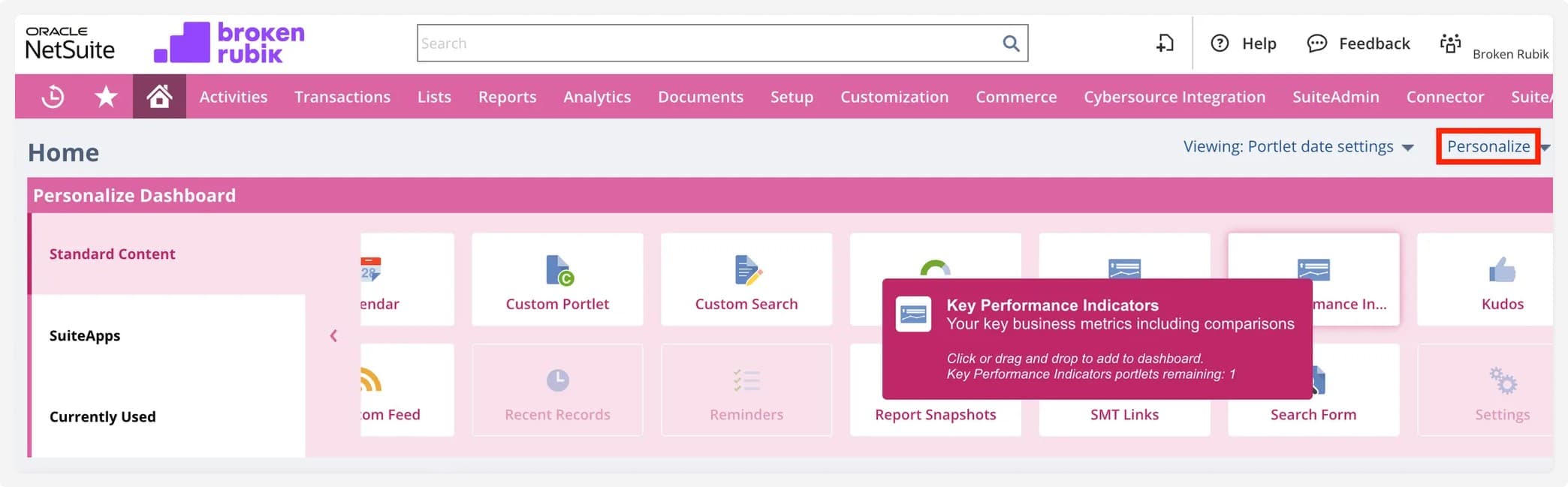
You’ll now see a new KPI section added to your dashboard. Click Set Up to configure it.

Adding Standard KPIs
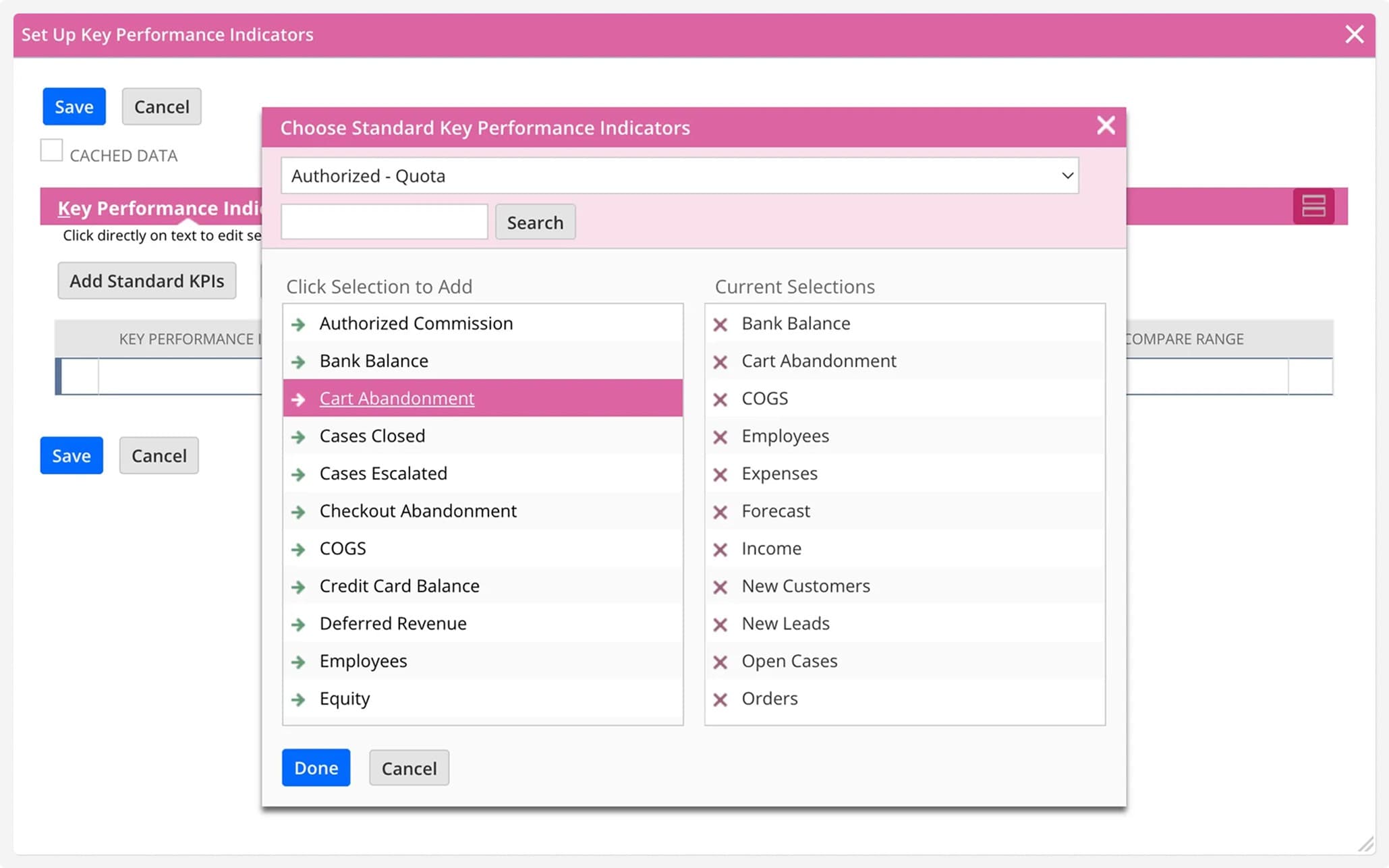
NetSuite includes a set of predefined KPIs. To add them:
Click Add Standard KPI
Select the KPIs you want to monitor
They will appear on the right side of the window
You can remove any by clicking the ❌ icon
Customizing Your KPI Display
After selecting your KPIs, you can:
Choose a comparison date range to track performance trends.
Highlight values that meet specific thresholds (e.g., revenue above target).
Enable Headline to display a graphical representation at the top of your dashboard.

This is how it will look on your NetSuite homepage:

Need More Flexibility? Build Custom KPIs
If your business requires KPIs that are not available in the standard list, or you want to track unique business metrics, you can request custom KPI development.
👉 Contact Broken Rubik to create tailored KPIs that suit your specific needs.
What clients ask before signing
Need help with your NetSuite project?
Whether it's integrations, customization, or support — let's talk about how we can help.

Martina Karszensztejn
Senior Backend Developer
Senior Backend Developer at BrokenRubik building robust server-side solutions and NetSuite integrations. Specializes in API development, data processing, and system optimization.