
Contents13 sections ↓
Can you actually build a website with NetSuite?
Short answer: yes. NetSuite has its own ecommerce platform called SuiteCommerce, and it's been around since 2012. It's not a general-purpose website builder like Squarespace or Wix — it's a full ecommerce storefront that lives natively inside your NetSuite ERP.
SuiteCommerce wasn't designed to help you spin up a marketing site with a few product pages. It was built so that businesses already running their operations on NetSuite could sell online without bolting on a separate platform and managing yet another integration.
When we say "natively inside NetSuite," we mean it literally. Your inventory, pricing, customer records, order management, and financials are all the same data. There's no sync delay, no middleware, no connector to break at 2 AM on a Saturday. A customer places an order on your SuiteCommerce site, and it's immediately a sales order in NetSuite. Your inventory updates in real time. Your revenue recognition flows through automatically. That's the core value proposition, and it's a real advantage if your business runs on NetSuite.
But SuiteCommerce isn't a single product. It's a family of products, each designed for different scenarios.
The SuiteCommerce family: SC, SCA, and MyAccount
There are three main offerings under the SuiteCommerce umbrella, and understanding which one you need (or already have) is the first step in any NetSuite ecommerce project.
SuiteCommerce (SC) is the standard version. It gives you a fully functional online store with product catalog, checkout, customer accounts, and all the core ecommerce features. The key limitation is that you're working within a more controlled environment — you can customize themes and configure settings, but you don't have full access to the underlying source code.
SuiteCommerce Advanced (SCA) is the premium version. It gives you everything SC has, plus full source code access, the Commerce Extension Framework, and the ability to build truly custom front-end experiences. If you need custom checkout flows, complex B2B functionality, or deep integration with third-party services on the front end, SCA is what you need.
SuiteCommerce MyAccount is the self-service customer portal. It handles post-purchase experiences: order history, reordering, invoice management, online payments, returns, and account management. For B2B companies, MyAccount is often just as important as the storefront itself — it's where your customers manage their relationship with you on a daily basis.
Most of our clients end up on SuiteCommerce Advanced because the customization flexibility is essential once you move beyond a basic storefront. The price difference between SC and SCA is meaningful, but the limitations of standard SC tend to become frustrating quickly for businesses with any level of complexity.
What SuiteCommerce does well
We've been building on SuiteCommerce for years. Here's where it pulls ahead of the alternatives.
Real-time NetSuite integration is the big one. We keep coming back to this because it really is the differentiator. Inventory counts are live. Customer-specific pricing loads from their NetSuite record. Tax calculations use your NetSuite tax setup. Payment terms for B2B customers are pulled directly from their account. There's no "sync" because there's nothing to sync — it's all one system.
B2B and B2C on a single platform is another strength. SuiteCommerce was designed from the start to handle both business models. You can run a B2C storefront for individual consumers and a B2B portal for wholesale customers — with different pricing, payment terms, catalogs, and checkout flows — all from the same NetSuite instance. Try doing that cleanly on Shopify without a mess of apps and workarounds.
Multi-subsidiary and multi-currency support comes naturally because NetSuite already handles these at the ERP level. If you run multiple brands, multiple regions, or multiple currencies, SuiteCommerce inherits all of that. You can operate global storefronts with localized pricing, tax rules, and shipping without stitching together separate platforms.
The checkout experience is solid, especially for B2B. Support for purchase orders, payment on terms, and credit limits is built in. B2B customers can check out using their negotiated payment terms, apply their credit, and the whole thing flows straight into NetSuite's accounts receivable.
What SuiteCommerce doesn't do well
We'd be doing you a disservice if we didn't talk about the limitations. We work with SuiteCommerce every day and there are areas where it falls short.
Content management is limited. SuiteCommerce has a basic CMS, but it's nowhere near what you'd get with WordPress, a headless CMS, or even Shopify's built-in content tools. If you want to run a content-heavy site with a blog, resource library, landing pages for campaigns, and rich editorial content, SuiteCommerce will fight you every step of the way. This is actually why we built Yello — a SuiteCommerce extension that adds proper blogging and content capabilities.
Design flexibility has a ceiling. While SCA gives you source code access, the architecture is opinionated. You're working within a specific framework (Backbone.js-based), and the templating system has its quirks. Modern design patterns that are trivial on platforms like Shopify or a custom Next.js site can require significant engineering effort on SuiteCommerce. The themes are functional, but they won't win design awards out of the box.
The developer experience is dated. The development tooling, build process, and debugging experience lag behind modern web development standards. If your team is used to working with React, Next.js, or modern JavaScript tooling, the SuiteCommerce developer environment will feel like a step backward. Deployment cycles are also slower than what you'd get on Shopify or a headless architecture.
The third-party ecosystem is small. Shopify has thousands of apps. SuiteCommerce has a fraction of that. For common needs like reviews, loyalty programs, or advanced search, you'll often need custom development rather than an off-the-shelf extension.
SuiteCommerce vs SuiteCommerce Advanced
This is one of the most common questions we get. Here are the differences that actually matter.
SuiteCommerce (Standard) gives you a configurable storefront. You choose a theme, customize it through the admin interface and configuration files, and work within the boundaries that NetSuite has set. You can adjust colors, layouts, and some functional settings. For straightforward B2C stores with standard checkout flows, it can work.
SuiteCommerce Advanced gives you full source code access. You can modify any component, build custom extensions, create new modules, override default behaviors, and implement entirely custom front-end experiences. The Commerce Extension Framework lets you build modular, upgradeable customizations.
Here's when you need SCA over standard SC:
- You need custom checkout flows (split shipments, custom validation, conditional fields)
- You're running a B2B operation with complex pricing, approval workflows, or custom quote processes
- You want to integrate third-party services on the front end (reviews, search, chat, analytics beyond basic GA)
- Your brand requires a highly customized design that goes beyond theme configuration
- You need custom landing pages or content types that the standard CMS can't handle
- You're planning to build custom extensions for functionality that doesn't exist out of the box
In our experience, most serious ecommerce operations end up needing SCA. The standard version works for businesses that want a simple, low-maintenance online presence — but if ecommerce is a core revenue channel, you'll likely outgrow it.
The theme system: how SuiteCommerce customization works
SuiteCommerce uses a theme-based architecture for front-end customization. Understanding how this works helps set realistic expectations for what your site can look like and how much effort customization requires.
At the base level, there's a default theme that provides all the core templates, styles, and functionality. NetSuite provides several pre-built themes, and there's a growing theme marketplace. You select a base theme and then customize from there.
Customization happens at multiple levels. Configuration-level changes — colors, fonts, layout options, logo placement — can be made through the Commerce admin without touching code. Theme-level changes involve modifying templates (Handlebars), styles (Sass), and JavaScript to alter appearance and behavior. Extension-level changes (SCA only) let you add entirely new functionality through modular, upgrade-safe packages.
At BrokenRubik, our approach to custom SuiteCommerce themes typically involves starting with a solid base theme, then building a custom design layer on top. We create purpose-built extensions for any functionality that goes beyond what the theme provides. This approach keeps customizations modular — when NetSuite pushes platform updates, your custom work doesn't break because it's isolated in theme overrides and extensions rather than scattered through core files.
The key thing to understand is that a custom SuiteCommerce theme project is a real development effort. It's not dragging and dropping components like Shopify's theme editor. Budget 4-8 weeks for a solid custom theme implementation, longer if you need significant custom functionality. If you want to understand what that process looks like in detail, we've written about how a SuiteCommerce theme project comes to life.
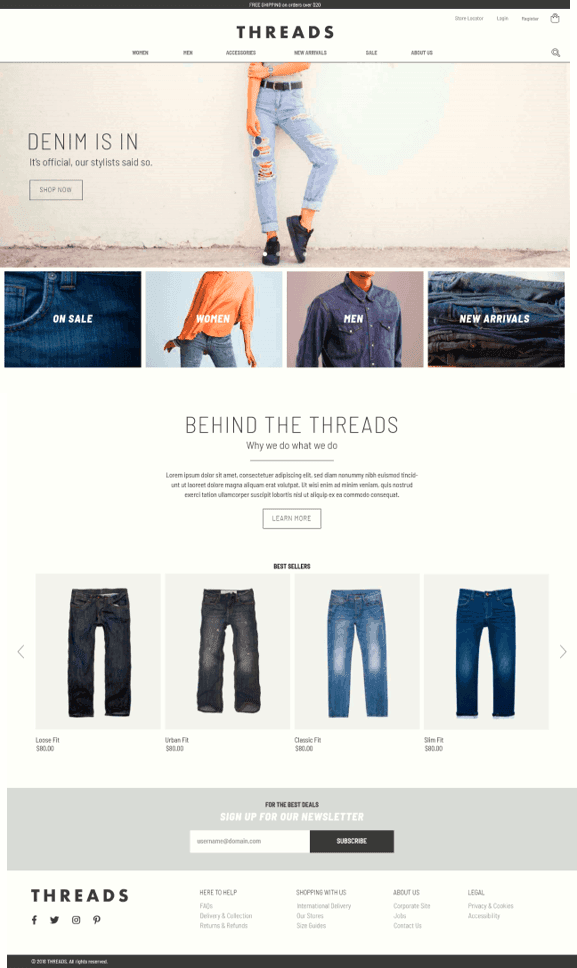
Official themes, your branding, or fully custom — compared
We implement NetSuite official themes with your branding, design custom themes from your brand guidelines, or build headless-CMS experiences. 35+ themes delivered.
Compare your theme optionsSuiteCommerce vs Shopify: when each platform makes sense
This is the comparison most of our clients ask about, and the answer depends on your situation. We work with both platforms.
Choose SuiteCommerce when:
- You're already running your business on NetSuite and ecommerce is tightly coupled with your operations
- You need B2B ecommerce with customer-specific pricing, payment terms, and approval workflows
- Real-time inventory and pricing accuracy is critical (no sync delays)
- You operate multiple subsidiaries, brands, or currencies and need them on one platform
- You want one system of record with no integration middleware to maintain
Choose Shopify when:
- Ecommerce is your primary channel and you need the best possible storefront experience
- Speed to market matters — you need to launch fast and iterate quickly
- Your team is marketing-driven and needs to make changes without developers
- You want access to a massive ecosystem of apps, themes, and integrations
- Your product catalog and checkout flow are relatively standard
The hybrid approach is increasingly common among our clients: run Shopify as the storefront and connect it to NetSuite for back-office operations. You get Shopify's superior shopping experience and ecosystem, plus NetSuite's operational power. The tradeoff is maintaining an integration layer — but with the right connector and architecture, this works extremely well for many businesses. We've covered this extensively in our guide to Shopify-NetSuite integration.
Here's the tradeoff: for pure ecommerce performance — conversion rates, page speed, design flexibility, mobile experience — Shopify wins. For operational integration and B2B complexity, SuiteCommerce wins. Most businesses need to decide which dimension matters more.
SuiteCommerce vs headless commerce
Headless commerce — using NetSuite as the backend while building a completely custom frontend with something like Next.js, Nuxt, or another modern framework — is the most flexible option, and it's gaining traction.
How it works: NetSuite exposes commerce data through its SuiteScript APIs and RESTlets. You build a custom frontend that calls these APIs for product data, pricing, cart management, checkout, and customer account functionality. The frontend is entirely under your control — you can use any framework, any design system, any hosting platform.
The appeal is obvious: you get the full power of NetSuite's ERP on the back end while building a best-in-class frontend experience using modern web technologies. Your developers work with tools they know and love. Your site performance can be exceptional because you control every aspect of rendering and optimization.
The catch: NetSuite's APIs weren't originally designed to power a high-traffic storefront. You need to think carefully about rate limits, caching strategies, and API performance. Building a headless commerce frontend from scratch means recreating a lot of functionality that SuiteCommerce gives you out of the box: product listing pages, faceted search, cart management, checkout flows, customer account portals, and more.
We've built headless NetSuite storefronts for clients, and the projects are significantly more complex and expensive than a SuiteCommerce implementation. Plan for 3-6 months of development for a solid headless build. The ongoing maintenance cost is also higher because you're responsible for the entire frontend stack.
Headless makes sense when you have complex content requirements alongside ecommerce, you need performance that SuiteCommerce can't deliver, you're integrating multiple backend systems (not just NetSuite), or your frontend team is already working in React/Next.js and building within SuiteCommerce's framework would slow them down significantly.
SuiteCommerce MyAccount: the B2B self-service portal
MyAccount deserves its own section because for many B2B companies, it's actually more important than the storefront.
SuiteCommerce MyAccount is the post-login customer portal. It's where your customers go to manage their relationship with your business, and it covers a lot of ground:
- Order history and tracking — customers can view past orders, check shipment status, and reorder with a few clicks
- Invoice management — view open invoices, download PDFs, and see payment history
- Online payments — pay invoices directly through the portal with credit card or ACH
- Account balance and credit — see available credit, open balances, and statement summaries
- Returns and RMAs — initiate returns and track return status
- Address book management — maintain shipping and billing addresses
- Quick order entry — B2B buyers can enter SKUs directly for fast reordering
For B2B companies, reducing manual touchpoints is where MyAccount delivers real ROI. Every time a customer checks their order status through the portal instead of calling or emailing your team, that's time saved on both sides. Every invoice paid through the portal instead of through a manual check process speeds up your cash collection.
We typically implement MyAccount alongside the storefront, and in many B2B projects, we spend more time customizing MyAccount than the shopping experience itself. The reason is simple: B2B buyers visit MyAccount far more often than they browse your catalog. Getting that experience right drives customer satisfaction and operational efficiency.
For companies that only need the self-service B2B experience and not the full storefront, a dedicated NetSuite B2B portal can deliver the same ordering, invoice payment, and account management capabilities without SuiteCommerce licensing.
Real costs: what a SuiteCommerce project actually costs
These numbers are based on our project experience and should give you a realistic planning range.
Licensing: SuiteCommerce is bundled with certain NetSuite editions, but as a standalone add-on it typically runs approximately $2,500/month. SuiteCommerce Advanced is higher — expect approximately $5,000/month. Oracle does not publish official pricing, so these are industry estimates. Actual costs vary based on your NetSuite contract, negotiation, and bundled modules. Always negotiate — SuiteCommerce licensing discounts of 20-40% are common, especially during initial NetSuite deals or renewals.
Implementation: A standard SuiteCommerce implementation with a custom theme, basic configuration, and standard checkout flows runs $40,000-80,000. SuiteCommerce Advanced with significant customization, custom extensions, and B2B features can run $80,000-200,000+ depending on complexity. These ranges include design, development, data migration, testing, and launch support.
Ongoing maintenance: Budget $2,000-5,000/month for ongoing support and maintenance. This covers platform updates, bug fixes, minor enhancements, and monitoring. If you're actively developing new features, that number goes up.
Timeline: A typical SuiteCommerce project takes 3-6 months from kickoff to launch. More complex SCA implementations with heavy customization can take 6-9 months. If you need a headless build, plan for 6-12 months.
These costs might look high compared to spinning up a Shopify store, and they are. The value proposition is the integration — you're not just building a website, you're extending your ERP to the web. When you factor in the cost of maintaining a separate ecommerce platform plus integration middleware plus ongoing sync issues, SuiteCommerce often looks more reasonable.
For a deeper look at overall NetSuite costs, check our NetSuite pricing guide.
Scoping a SuiteCommerce build?
Tell us your catalog, B2B or B2C, and what you run in NetSuite today. We'll come back with a realistic range and timeline within 48 hours.
Get a scoped estimateWhen NOT to build your website on NetSuite
We implement SuiteCommerce every day, but it's not the right fit for every business. Here are the scenarios where it's the wrong choice:
Content-heavy websites. If your site is primarily about content — blog posts, resource libraries, landing pages, editorial content — and ecommerce is secondary, don't build on SuiteCommerce. Use a proper CMS (WordPress, a headless CMS, or a modern framework) and integrate NetSuite for the commerce parts you need.
Pure marketing sites. If you need a corporate website with some lead generation forms and no ecommerce, NetSuite is overkill. Build a proper marketing site and connect it to NetSuite CRM through APIs or Zapier if needed.
Small product catalogs with simple operations. If you're selling 20 products with straightforward pricing and your operations are simple, Shopify or even WooCommerce will serve you better at a fraction of the cost. SuiteCommerce's value is in the deep integration with complex operations. If your operations aren't complex, there's nothing to integrate deeply with.
Speed-to-market is your top priority. If you need to launch in weeks rather than months, SuiteCommerce isn't the answer. Shopify can get you online in days. SuiteCommerce implementations take months. If time matters more than integration depth, choose accordingly.
Your team is small and non-technical. SuiteCommerce requires technical expertise to maintain and update. If you don't have developers on staff or a reliable agency partner, Shopify's self-service model will serve you better day to day.
Here are SuiteCommerce projects we've built that show the platform's range.
Real-world examples
Cartridges Direct SuiteCommerce Store
Built a custom SuiteCommerce storefront with a "Find Your Cartridge" configurator that helps customers match printer models to compatible products across 10,000+ SKUs.
Deckmatch Tool for DIY Home Center
Developed a product-matching tool on SuiteCommerce that lets customers find the right deck plugs and screws by brand and color, integrated with NetSuite item records.
KLIM's B2B Preseason Order Manager
Replaced manual Excel-based ordering with a React-powered B2B tool backed by SuiteScript, enabling sales reps and customers to manage preseason orders across 5,000+ SKUs.
Frequently Asked Questions
What clients ask before signing
Making the right choice for your business
Two questions decide this for most companies: how central is NetSuite to your operations, and how important is ecommerce to your business?
If NetSuite is your operational backbone and ecommerce needs to be tightly woven into those operations, SuiteCommerce is the most logical path. You get native integration that no third-party connector can match.
If ecommerce is your primary channel and you need the absolute best storefront experience, Shopify (connected to NetSuite) might serve you better — and that's okay. We build those integrations too.
And if you need something truly unique — a content-rich experience, a headless architecture, or a hybrid approach — we can help you design and build that as well.
Scope your NetSuite storefront
Tell us about your catalog and traffic. We'll recommend the right storefront approach.

Joaquin Vigna
Co-Founder & CTO
Co-founder and Chief Technology Officer at BrokenRubik with 12+ years of experience in software architecture and NetSuite development. Leads technical strategy, innovation initiatives, and ensures delivery excellence across all projects.